
What is the Difference between Rons Data Edit and Rons Data Stream - CSV Editing
Rons Data Edit
Rons Data Edit is built for working with CSV files and other tabular text formats one file at a time. If you often jump between different kinds of data files, it gives you a clean, predictable workspace that stays out of your way.
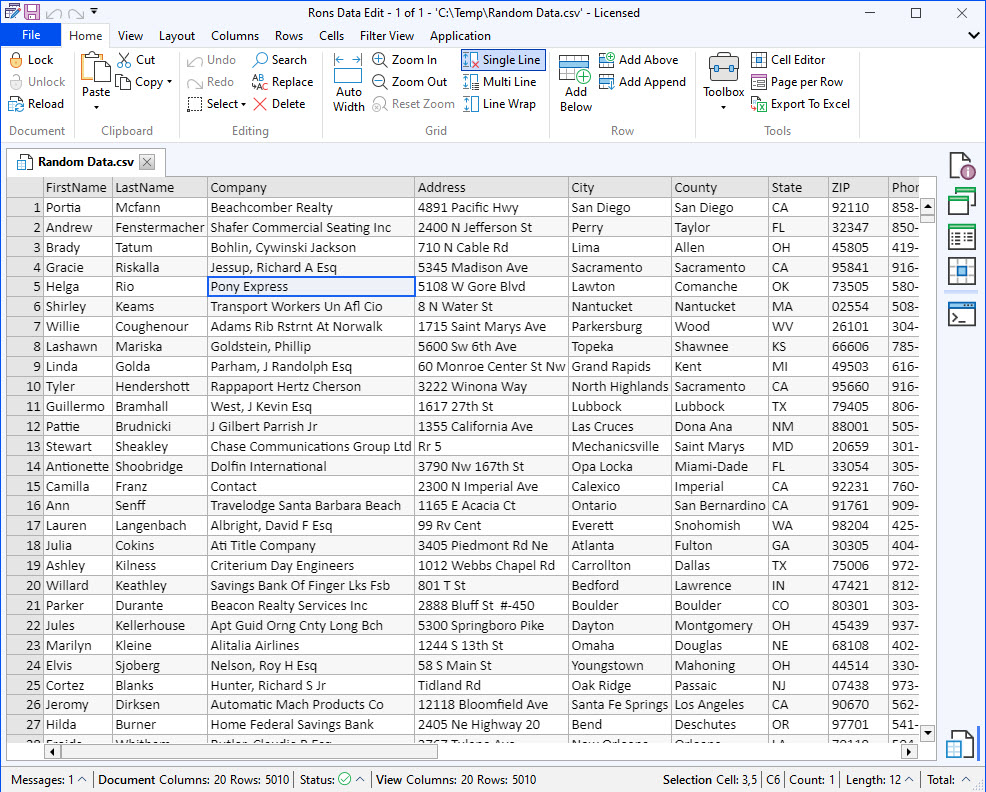
The editor can open files using any delimiter—comma, tab, pipe, or something more unusual—and it handles very large files without complaining. You can switch between a structured table view and a raw text view, depending on whether you want a clear grid or full control over the underlying text.
Rons Data Edit includes the tools you’d expect: search, replace, filtering, sorting, and column operations. When you need to tidy up or standardize data, the full set of Cleaners is available directly inside the editor, so you don’t have to switch applications. Every change you make is previewed automatically, which makes it easier to experiment safely.
Rons Data Edit loads CSV, TSV, PSV, and other tabular formats, and exports to text (separated), HTML, XML, and Excel.
Rons Data Stream
Rons Data Stream takes a different approach. Instead of editing one file at a time, it focuses on applying changes to many files at once. You create a sequence of rules—much like a small workflow—and Data Stream applies those rules automatically to every file you include.
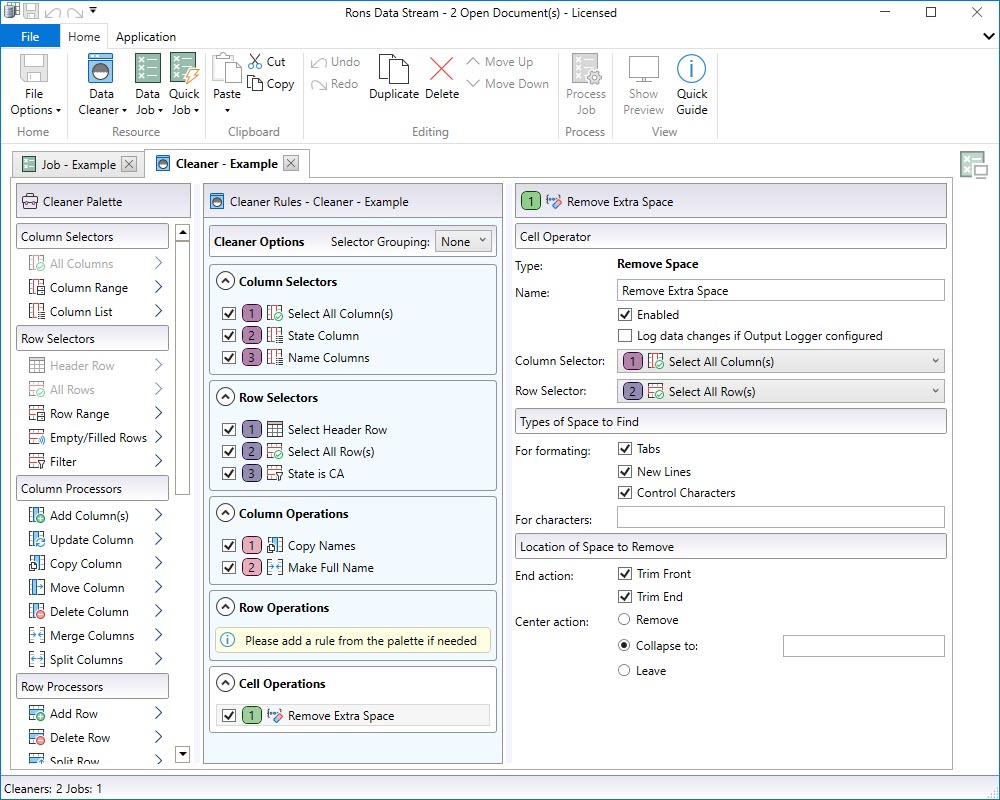
This rule‑based setup is especially useful when you work with recurring data tasks. Once you’ve built a rule set, you can save it and reuse it whenever new files arrive. It’s a straightforward way to keep large batches of data consistent without repeating the same manual steps.
Rons Data Stream includes a wide range of Cleaners and Processors for transforming, restructuring, and validating data. It can process entire folders in one run, making it well‑suited for batch workflows or automated pipelines.
The application can load CSV, token files, HTML, XML, and JSON, and export to those formats as well as SQL Server, SQLite, and Parquet.
Free lite versions of our applications to download
Both Rons Data Edit Lite and Rons Data Stream Lite are available as free versions with only a few restrictions. They’re a simple way to explore the applications or handle smaller tasks.
If you’d like to learn more about either application — features, examples, or download options — you can find everything on their product pages:
- Rons Data Edit
https://www.ronsplace.ca/products/ronsdataedit
- Rons Data Stream
Related Information
- A Perfect Excel alternative to handle CSV files
- How to open and view a CSV file
- Rons Data Edit for e-Commerce
- Text Encoding and Languages in CSV Files
- What is a CSV File
- What is the best CSV Editor
- What is the Difference between Rons Data Edit and Rons Data Stream
- Cleaning CSV Files with Rons Data Edit
- How To Configure Delimiters and File Associations
- How to Navigate Rons Data Edit
- How To Edit the Column Layout of a CSV File
- How To Merge & Split Columns
- How To Pivot Columns in a CSV File
CSV Editing
Rons Data Edit
Application
Column
Document
Row
Rons Data Stream
Application
Examples


