
Rons WebLynx vs Linkman - Rons WebLynx
Outertech Linkman and Rons WebLynx are two of the few bookmark managers that still run as real Windows desktop applications. Both keep your links on your own computer instead of in somebody else's cloud, and both are sold for a one-time price rather than a subscription.
So which one should you choose? This article compares the two honestly, including where Linkman is the better fit. Linkman details are taken from the Outertech website in November 2026.
At a Glance
| Rons WebLynx | Outertech Linkman | |
|---|---|---|
| Type | Windows desktop application | Windows desktop application with browser add-ons |
| Windows versions | Windows 10 and 11 | Listed for Windows 10, 8.x and 7 |
| Where links are stored | WebLynx files on your computer | Linkman databases on your computer |
| Account needed | No | No |
| Free edition | Lite: all features, saves up to 2,500 links, ad banner | Lite: 2 databases of up to 5,000 bookmarks each |
| Free edition at work | Yes, Lite can be used for business | No, Lite is for private, non-commercial use |
| Paid edition | Pro: one-time purchase, price on the product page | Pro: US$24.95, one-time |
| Broken link checking | Yes, Lite and Pro | Pro |
| Organising | Folders, tags, groups, ratings and notes | Folders and keywords |
| Sync between browsers | No, imports from browsers instead | Yes, through browser add-ons |
| Sync between computers | No | Pro, through Dropbox, OneDrive, Google Drive and others |
| Moving between them | WebLynx imports Linkman files directly | – |
Where Linkman Is a Good Choice
Linkman has been around since the late 1990s and has a loyal following. It is a good fit if:
- You want your bookmarks synchronised between several browsers while you browse. Linkman's add-ons do this; WebLynx does not.
- You need the same collection on several computers. Linkman Pro supports this through cloud folders. WebLynx files can be copied and backed up, but sharing one file between computers through OneDrive or Dropbox is not supported.
- You are still on Windows 7 or 8, which Linkman lists and WebLynx does not support.
Where Rons WebLynx Is a Good Choice
Rons WebLynx was designed for people who collect a lot of material from the web and need to find it again. It is a good fit if:
- You want to use the free edition at work. Rons WebLynx Lite can be used for business. Linkman Lite is licensed for private use only.
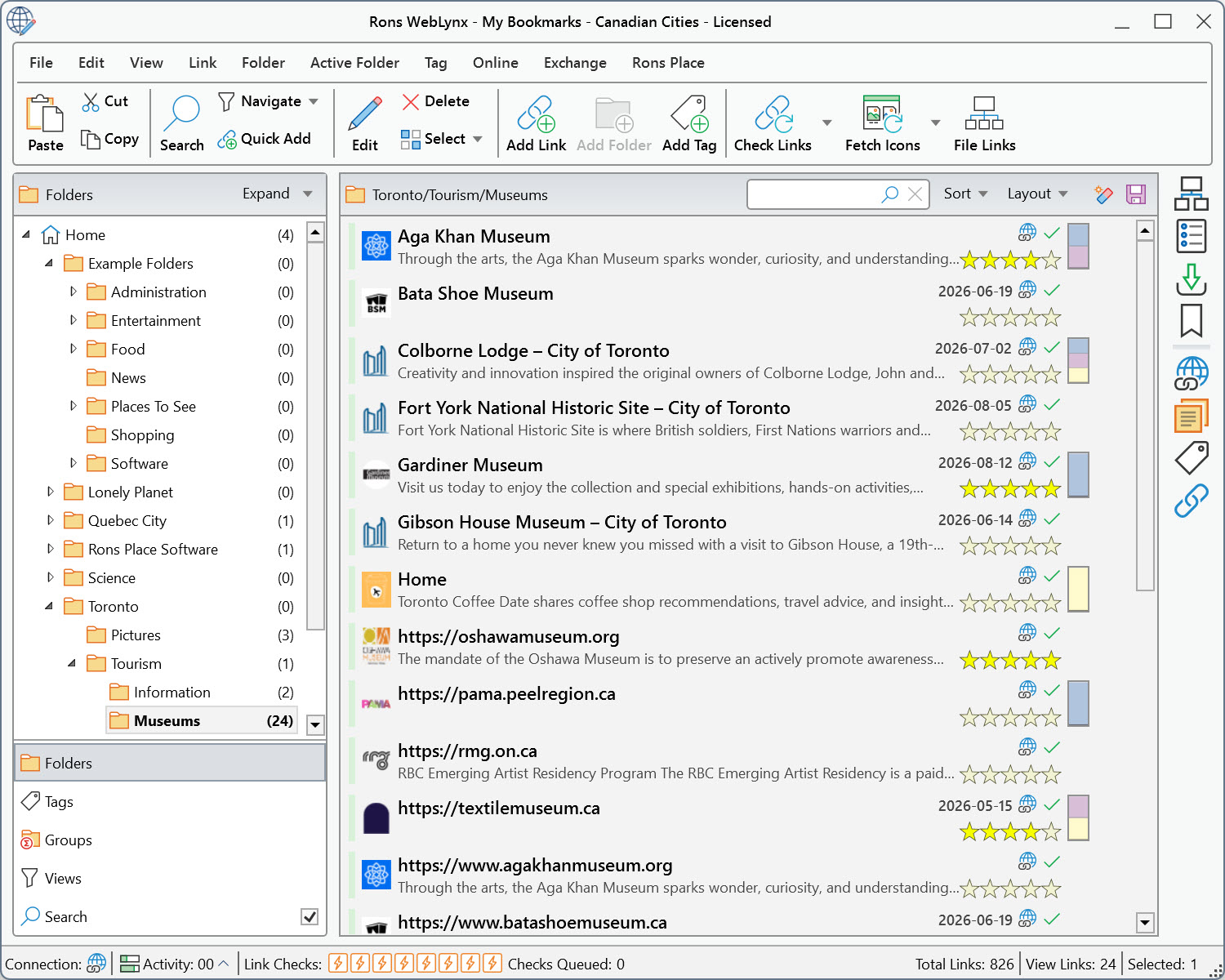
- You organise by more than one category. Folders give structure, while tags, groups, ratings and notes let the same link be found in several ways. See The Browser Bookmark Problem.
- You want new links filed for you.Automatic Link Filing rules tag, move or delete new links on your computer, without AI or online services.
- You follow websites. Any folder can become an Active Folder that collects new links from RSS or Atom feeds. See Following Website Updates with RSS Feeds.
- You need privacy. WebLynx files can be encrypted with a password, and protected notes are encrypted too.
- You prefer a modern interface with light and dark modes, side panels and a built-in browser view, in 10 display languages.
- Link checking matters to you. Broken links and duplicates are found in both Lite and Pro.
Moving from Linkman to Rons WebLynx
You do not have to start again. Rons WebLynx imports Linkman files directly:
- Install Rons WebLynx and create a new file.
- Open Exchange/Import, choose File, and select your Linkman file.
- Choose a folder and any tags for the new links, check the preview, and click Import.
Linkman keywords become WebLynx tags, and WebLynx checks the links straight away so dead ones can be cleaned up in the Missing view. The full walk-through, with screenshots, is in Importing Outertech Linkman Files.
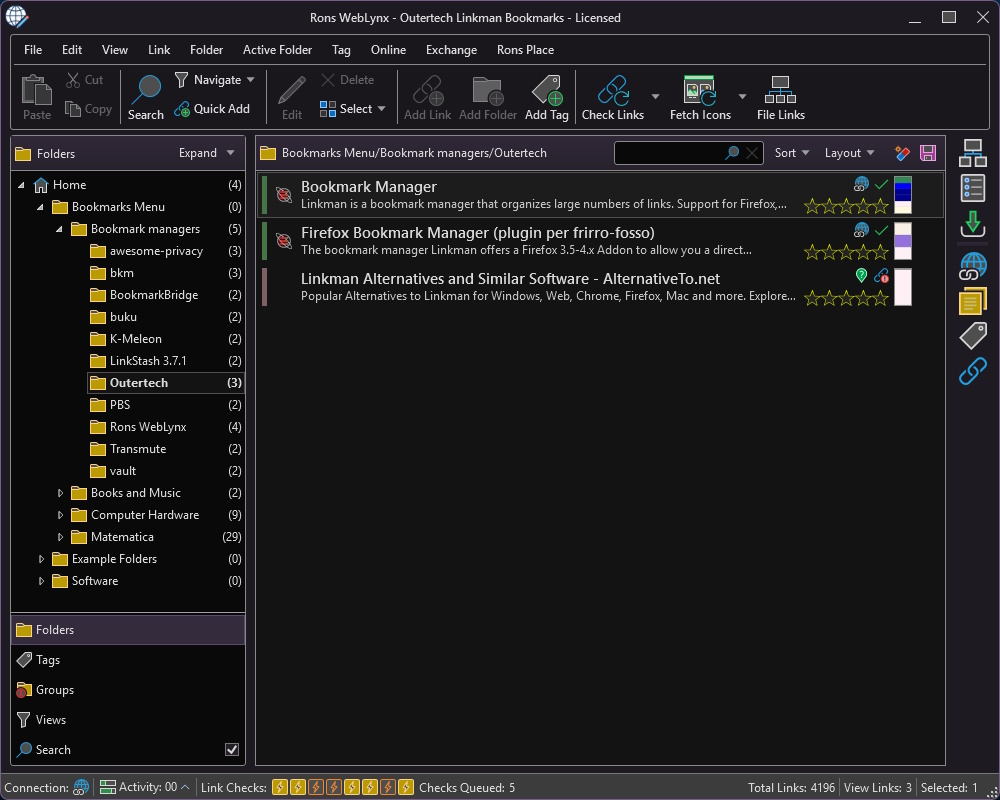
Because Rons WebLynx Lite is free and has all features, you can import a part of your Linkman collection and try everything before deciding on Pro.
Conclusion
Both tools keep your bookmarks local and avoid subscriptions. Linkman is the stronger choice if you want live sync between browsers or computers, or still use an older Windows version. Rons WebLynx is the stronger choice if you want a free edition you can use at work, tags and notes alongside folders, automatic filing rules, RSS folders, encryption and a modern interface on Windows 10 or 11.
Rons WebLynx is available free from the Download page on Rons Place Software. See also the Rons WebLynx Overview.


